C L A R I S P E R E

Loading

Built for founders, professionals, and students
who want clarity with their digital life.

Turn Digital Chaos Into a Calm, Automated System

Email overload, messy files, lost screenshots, endless tabs. We set up a simple Digital OS on top of the tools you already use so everything important flows to one place.

Happy Customer
4.7/5 on TrustPilot

Your Tools Aren’t the Problem.
Your SystemIs.

Email Chaos

Important messages buried under newsletters, promos, and noise.

File Mess

Google Drive, Dropbox, Desktop all exist but nothing has a home.

Tab Overload

40+ tabs open because tabs became your task manager.

No Follow-Ups

Things slip because there’s no single place for action.

This is exactly what Clarisphere fixes in one setup.

1+
Digital Workspaces Organized
1K+
Emails Auto-processed Monthly
1%
Users Feel More in Control After Setup
<1Min

Average Setup Time

One Inbox. One System. Zero MentalLoad.

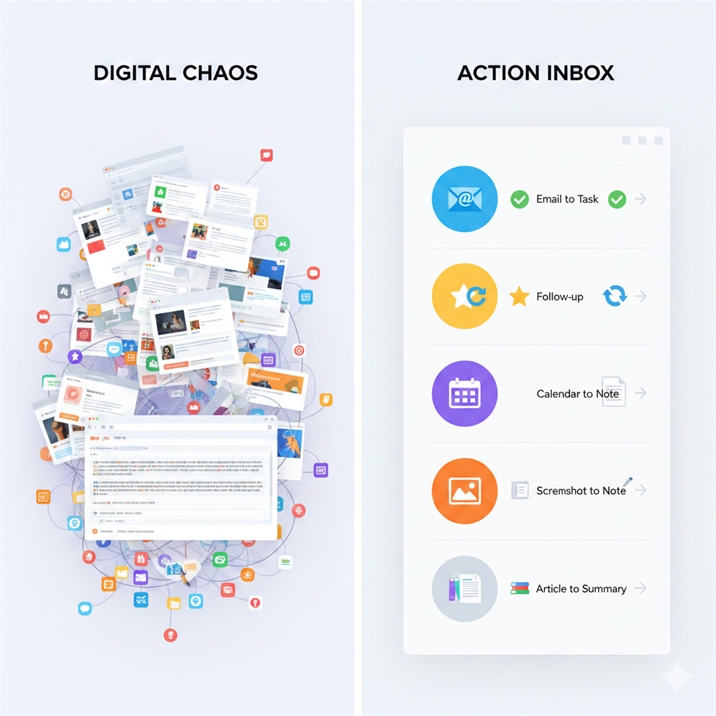
Instead of checking five apps and hoping you didn’t miss something, Clarisphere routes everything important into one Action Inbox where emails become tasks, meetings automatically create notes, screenshots turn searchable, and saved articles become summaries, giving you the calm clarity of an AI assistant without adding any new tools or complexity.

  • Important email → task
  • Starred mail → follow-up
  • Meeting → calendar + notes template
  • Screenshot → OCR → notes
  • Articles → summary → inbox

This Is Not Another App

Clarisphere works on top of what you already use.

Email That Actually Works for You

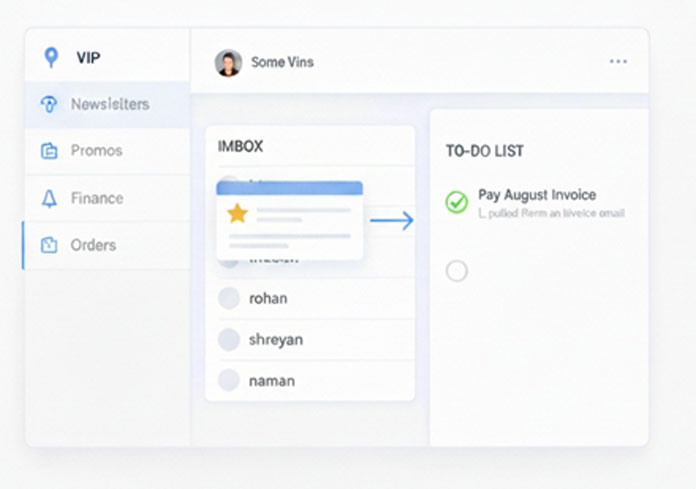
Your inbox stops being a storage dump and starts acting like a command center. Important messages surface automatically, everything else stays out of the way.

  • Smart filters for newsletters, promos, finance, and orders
  • VIP routing so key people never get missed
  • Starred and important emails turn into clear follow-ups

A File System You Don’t Have to Think About

Every file has a place and gets there automatically. No duplicates, no hunting, no messy desktops.

  • Clean folder structure for Drive, Desktop, or both
  • Auto-sorting rules for PDFs, images, and documents
  • Screenshot routing and duplicate cleanup guidance

Your Browser, Finally Under Control

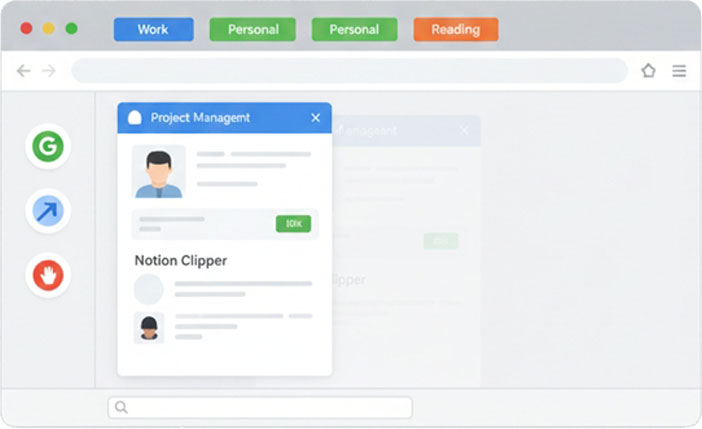
Tabs stop being a to-do list. Bookmarks, reading, and focus are handled by a simple browser OS.

  • Organized tab groups for work and personal use
  • Essential extensions only, no bloat
  • Distraction control and reading workflow setup

Your Phone as a Productivity Tool, Not a Distraction

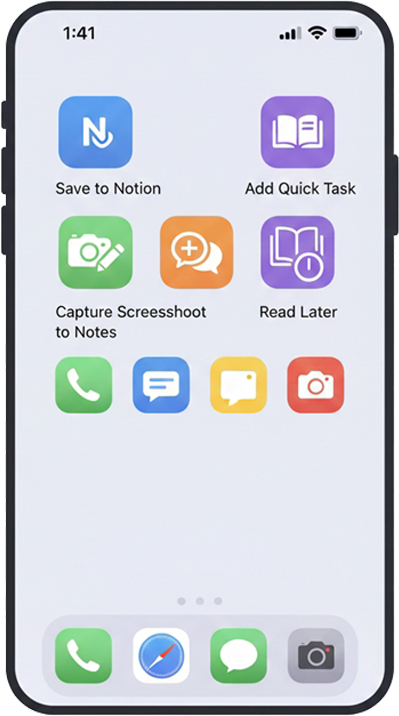
Quick actions replace manual effort. Common tasks happen in seconds without opening five apps.

  • Custom iPhone shortcuts based on your workflow
  • Screenshot capture to notes or inbox
  • Fast actions for saving links, tasks, and ideas

What You Actually Get

This is not advice or templates you have to figure out. We configure your digital system end to end so it works the moment we’re done, and you clearly see what changed and how to use it.

A System Built Around You

Your email, files, browser, and phone are structured around how you actually work, not generic productivity rules or trendy tools.

Clear Documentation, No Guesswork

You receive a simple PDF summary and workflow map showing what was set up, how things flow, and how to maintain it without breaking the system.

Simple Plans. One-TimeSetup.
One-Time Cost.

Pick how deep you want the system to go.

₹499

Smart Pricing for good services

Digital Quick Cleanup

Email Setup
  • Newsletter + Promo filters
  • 2 VIP filters
  • Signature setup
  • Basic Important Filter Pack
Drive / Dropbox Setup
  • Simple folder structure
  • Label meaning + usage
  • Zero-clutter “Drive Inbox” folder (choose for desktop or google drive)
Browser Productivity Setup
  • Mini-setup
  • 2–3 extensions
  • Basic tab groups
  • Clean top-level bookmarks
Shortcuts Pack (iPhone)
  • Basic Pack (2)
Automation
  • None included
Cross-App Integrations
  • None
PDF Summary
  • Digital Setup Summary

₹999

Smart Pricing for good services

Digital Organization OS

Email Setup
  • Newsletter + Promo filters
  • 2 VIP filters
  • Signature setup
  • Basic Important Filter Pack
  • Full VIP routing (10 people)
  • Expanded smart filters (Finance, Travel, Orders)
  • Priority Inbox tuning
Drive / Dropbox Setup
  • Simple folder structure
  • Label meaning + usage
  • Zero-clutter “Drive Inbox” folder (choose for desktop or google drive)
  • Desktop + Drive structure (BOTH)
  • Auto-sort rules (PDFs → Docs, Images → Photos, Tickets → Travel)
Browser Productivity Setup
  • 4–5 extensions
  • Organized tab groups
  • Reading workflow setup
Shortcuts Pack (iPhone)
  • Pro Pack (5)
Automation
  • 1 Light Automation Article → AI Summary → Notion Automation
Cross-App Integrations
  • Save-to-Notion Integration
PDF Summary
  • Pro Setup Summary

₹1499

Smart Pricing for good services

Digital Workflow OS

Email Setup
  • Newsletter + Promo filters
  • 2 VIP filters
  • Signature setup
  • Basic Important Filter Pack
  • Full VIP routing (10 people)
  • Expanded smart filters (Finance, Travel, Orders)
  • Priority Inbox tuning
  • Action Inbox Setup
  • Email → Calendar entries
Drive / Dropbox Setup
  • Simple folder structure
  • Label meaning + usage
  • Zero-clutter “Drive Inbox” folder (choose for desktop or google drive)
  • Desktop + Drive structure (BOTH)
  • Auto-sort rules (PDFs → Docs, Images → Photos, Tickets → Travel)
  • Archive automation
  • Screenshot auto-routing
Browser Productivity Setup
  • Full browser OS
  • 7–8 extensions
  • Personal + Work profiles
  • Distraction blocking setup
Shortcuts Pack (iPhone)
  • Premium Shortcuts (10)
Automation
  • 1 Full Automation Email → Task → Calendar Automation (THE HERO)
Cross-App Integrations
  • ACTION INBOX SYSTEM
PDF Summary
  • Workflow Map + Pro Summary

What’s Our Customer Say About Clarisphere

If this sounds like you, this system will click immediately.

Get Every Single Updates and Learn Our News & Blog

Hello world!

Welcome to WordPress. This is your first post. Edit or delete it,...

Meet Success the Cale Smashing Book By Addy..

Sed ut perspiciatis unde omnis iste natus error sit voluptatem accusantium doloremque...

Practical Design Tips Guidelines For Beginner Designers

Sed ut perspiciatis unde omnis iste natus error sit voluptatem accusantium doloremque...

I’ve 1253+ Global Clients & lot’s of Project Complete

Best For

01
Early-stage founders managing investors, clients, and multiple inboxes
02
Managers running meetings, docs, and follow-ups
03
Students & creators juggling classes, content, and projects